

Category: Guides
Organizing Clients and Projects That Actually Scale
How to structure clients, sub-clients, projects, and tasks so your reporting stays clean past the first handful of clients, instead of collapsing into a folder full of vague buckets.
By Baptiste Dulac · Published August 1, 2026
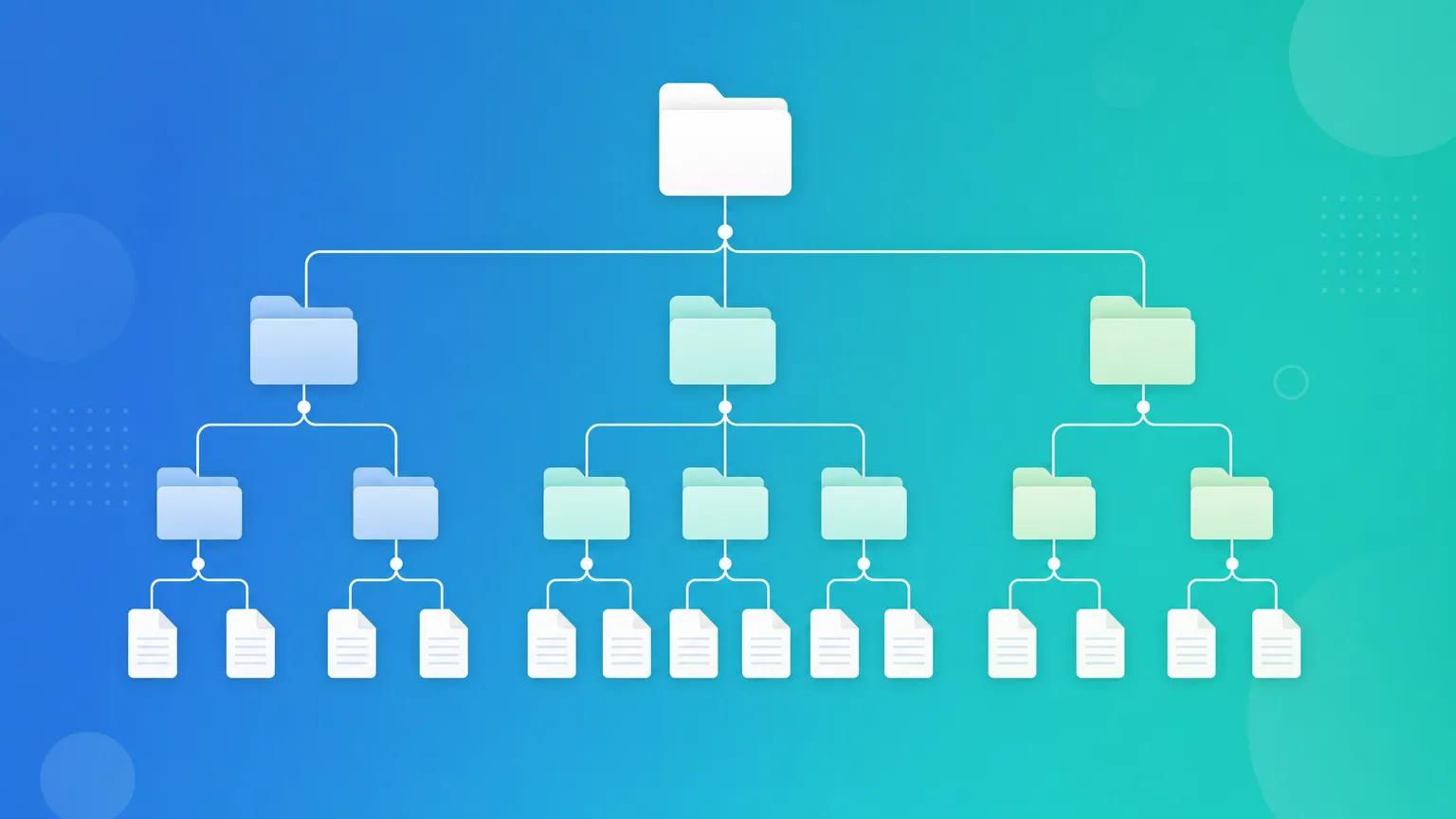
Every freelancer and small agency starts the same way: a handful of clients, a handful of projects, and a mental model of who's who that lives entirely in your head. That works fine until it doesn't. Somewhere around client number eight, or the first client with three different departments booking work independently, the mental model breaks and the flat list of projects stops answering the questions you actually need answered.
The fix isn't a bigger spreadsheet. It's a structure that matches how client work actually branches, so that reporting scales without you having to reorganize everything retroactively.
Why a flat list of projects stops working
A flat list, where every project is just tagged with a client name typed into a text field, feels fine at first because there's nothing to set up. The cracks show up later, in predictable ways:
- Two projects for the same client get typed slightly differently ("Acme Corp" vs. "Acme"), and now your reporting silently splits one client's history in two.
- A client with multiple departments, brands, or teams all show up under one name, so you can't tell how much time went to their marketing team versus their product team.
- Answering "how much did we bill this client this year" means manually gathering every project that might belong to them, hoping you didn't miss one.
None of this is a tooling failure exactly. It's what happens when the data structure is flatter than the relationship it's supposed to represent.
A hierarchy that matches how client relationships actually branch
A structure that scales past a handful of clients almost always looks like this:
Client → Sub-client → Project → Task
- Client is the company or person you have a commercial relationship with. Invoices go to the client.
- Sub-client is an optional layer underneath: a department, a brand, a location, or a specific team within that client. Not every client needs one, and that's fine, but the option exists for the ones that do.
- Project is a scoped piece of work with a beginning and, usually, an end: a website redesign, a quarterly retainer, an audit.
- Task is the individual unit of work inside a project: a specific deliverable, a bug, a page to design.
Every hour logged against a task rolls up cleanly through project, sub-client, and client. That single design decision is what makes reporting trivial later: "how much did we bill Acme Corp" and "how much time did Acme's marketing team's rebrand project take" are the same query at different depths of the same tree, not two different manual exercises.
When to actually use the sub-client layer
The sub-client layer is the one people are most likely to skip, and the one that saves the most pain later when it's needed. Use it when:
- A client has genuinely separate teams or departments that book work independently and shouldn't see each other's projects in a shared report.
- A client operates multiple brands or product lines that need to be billed or reported on separately, even though the invoice ultimately goes to one parent company.
- An agency client is actually a holding structure for several smaller businesses you work with.
If none of that applies, skip it. A freelance web developer with straightforward one-to-one client relationships gains nothing from an empty sub-client layer, and forcing structure you don't need just adds friction to logging time. Structure should follow the shape of the relationship, not the other way around.
What good project scoping looks like

Projects are where most of the day-to-day tracking happens, so getting their scope right matters more than getting the client hierarchy perfect. A few patterns hold up well as you grow:
- One project per deliverable or engagement, not per year. "Acme website redesign" is a project. "Acme 2026" is not, because it'll accumulate unrelated work and make reporting on any single deliverable impossible.
- Retainers get their own recurring project, separate from one-off work for the same client, so you can tell "ongoing support" hours apart from "new feature" hours even when both happen the same month.
- Close projects when they end. An archived project keeps historical reporting intact without cluttering the list you pick from every time you log a new entry.
From chaos to structure without redoing history

If you're migrating from a flat list of projects, you don't need to restructure everything before you can benefit from this. Start with new clients and new projects using the full hierarchy going forward. Clean up existing clients opportunistically, the next time you touch them for a new engagement, rather than trying to backfill sub-clients for every historical project in one sitting. The value compounds from the point you adopt the structure; it doesn't require perfect historical data to start paying off.
Why this mirrors Portime's data model
This isn't an abstract recommendation. It's the exact structure Portime is built around: Client → Sub-client → Project → Task, with time entries logged against a project (and optionally a task) so every hour inherits the full chain automatically. Reports group by any level of that hierarchy without extra configuration, because the hierarchy is the data model, not a filter bolted on top of a flat list.
The tool matters less than the structure, though. Even in a spreadsheet, this hierarchy will keep your reporting clean well past the point where a flat list of client names would have broken down.